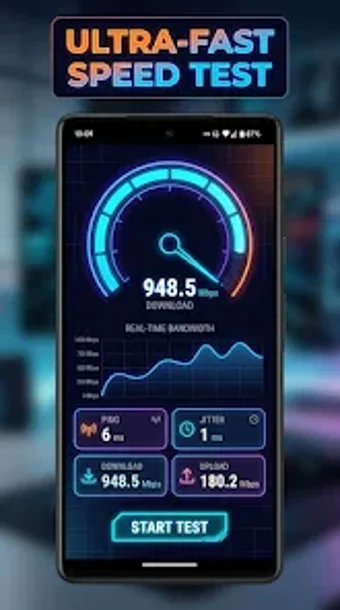
Advanced Android toolkit for multi-gigabit tests and Wi‑Fi mapping
Run multi-gigabit tests and generate Wi-Fi heatmaps while measuring download, upload, ping, and jitter in one toolkit. Speedix: Internet Speed Test, from mustafaorki, bundles network diagnostics for Android into a single app that targets 5G, Fiber, and Wi‑Fi 6/7 environments. Key tools include a Gaming Ping & Stability Monitor, LAN scanner, and a 4K/8K streaming capacity test. The app fits power users, competitive gamers, and remote professionals who need continual network visibility and troubleshooting data.
What does Speedix measure and how are results presented?
Speedix reports live metrics for download, upload, ping, and jitter, using a multi-threaded engine that supports multi-gigabit links. The app also runs a dedicated 4K/8K Video Streaming Test and a Gaming Ping & Stability Monitor that tracks latency spikes and packet loss in real time. Results include numeric values and interactive visualizations such as heatmaps and ISP benchmark maps, which let you compare local provider performance and review historical tests tied to GPS locations.
Does it affect device performance during scans?
The multi-threaded engine is designed to handle high-bandwidth connections, so tests push the network rather than the CPU. The toolkit focuses on network-bound activity: during multi-gigabit testing the app engages multiple threads to saturate the link, while ancillary tools like the LAN Scanner and Wi‑Fi Analyzer query local devices and signal strength in dBm without persistent background load. This design keeps heavy activity tied to explicit tests rather than continuous system drain.
Is Speedix safe to use on a production network?
The app includes a LAN Scanner and Security Test to discover connected devices and identify vulnerabilities; those actions require local network probing and appropriate permissions. The tool does not state that it modifies router firmware, so its operations remain within diagnostic scope. Running a LAN scan on a shared network needs administrative awareness, because the scan enumerates IPs and device presence rather than making configuration changes.
Do I need technical knowledge to operate its tools?
The interface groups specific utilities such as the Gaming monitor, Wi‑Fi heatmap, and ISP benchmark into discrete tests, which helps guided use. Advanced items like signal strength in dBm, packet loss graphs, and multi-threaded throughput require some networking familiarity to interpret. Casual users can run basic speed tests and view maps, while power users, streamers, and competitive gamers will extract more value from the diagnostic details and heatmapping tools.
Strong choice for Android power users, limited by platform scope
Speedix suits power users who need detailed, test-driven visibility into modern networks; it consolidates gaming latency tracking, multi-gigabit throughput measurements, and visual Wi‑Fi coverage into one app. The main limitation is platform coverage: it operates on Android only, which restricts cross-device network surveys when other devices run different operating systems. For Android-centric troubleshooting, Speedix delivers focused diagnostic capability with professional-grade metrics.